Settings
Open the Settings sheet to adjust how to-day displays tasks and defines your planning periods.
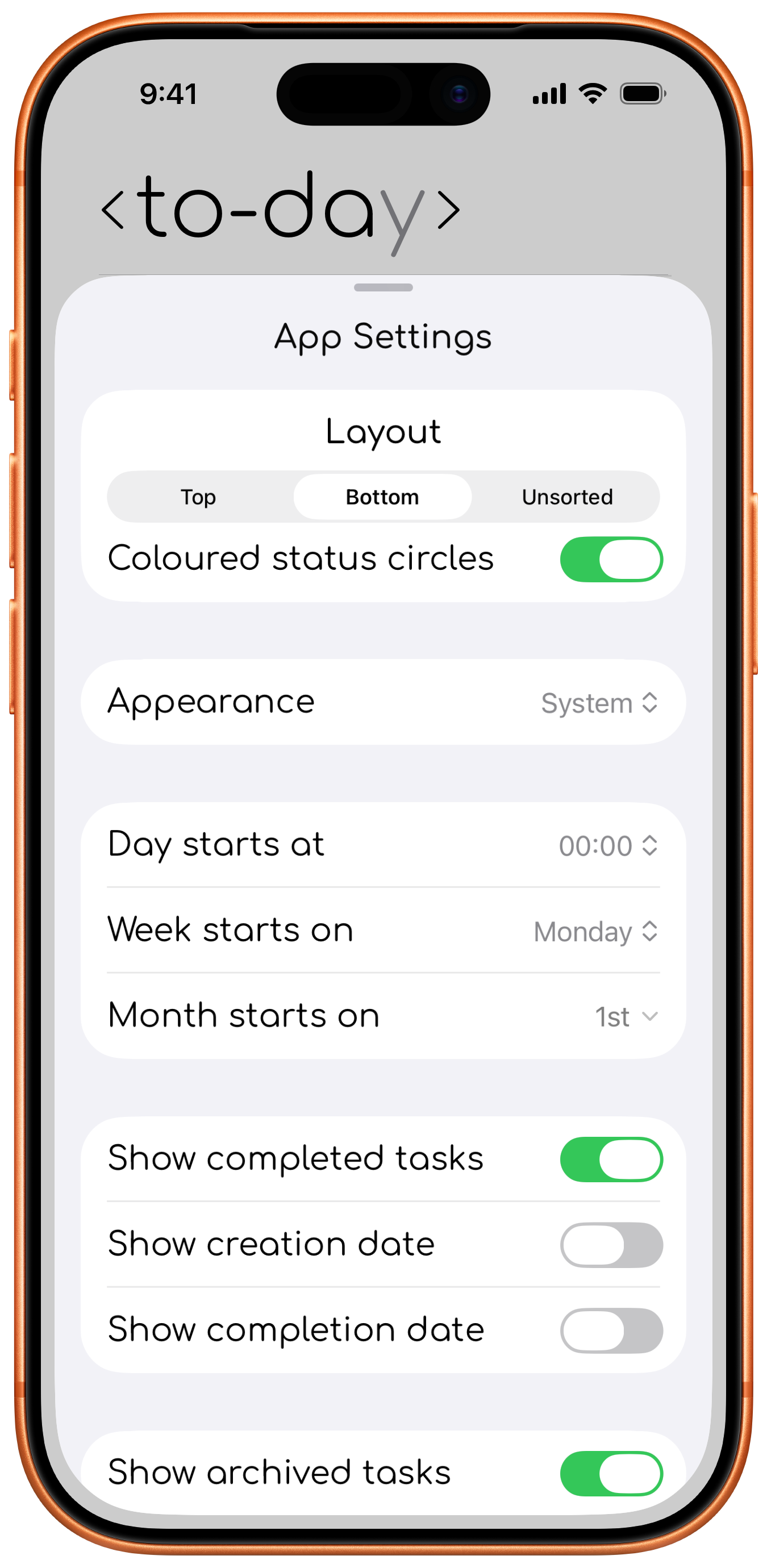
Layout
Choose how completed and incomplete tasks are arranged, or leave the list unsorted. This also moves the "create task button".
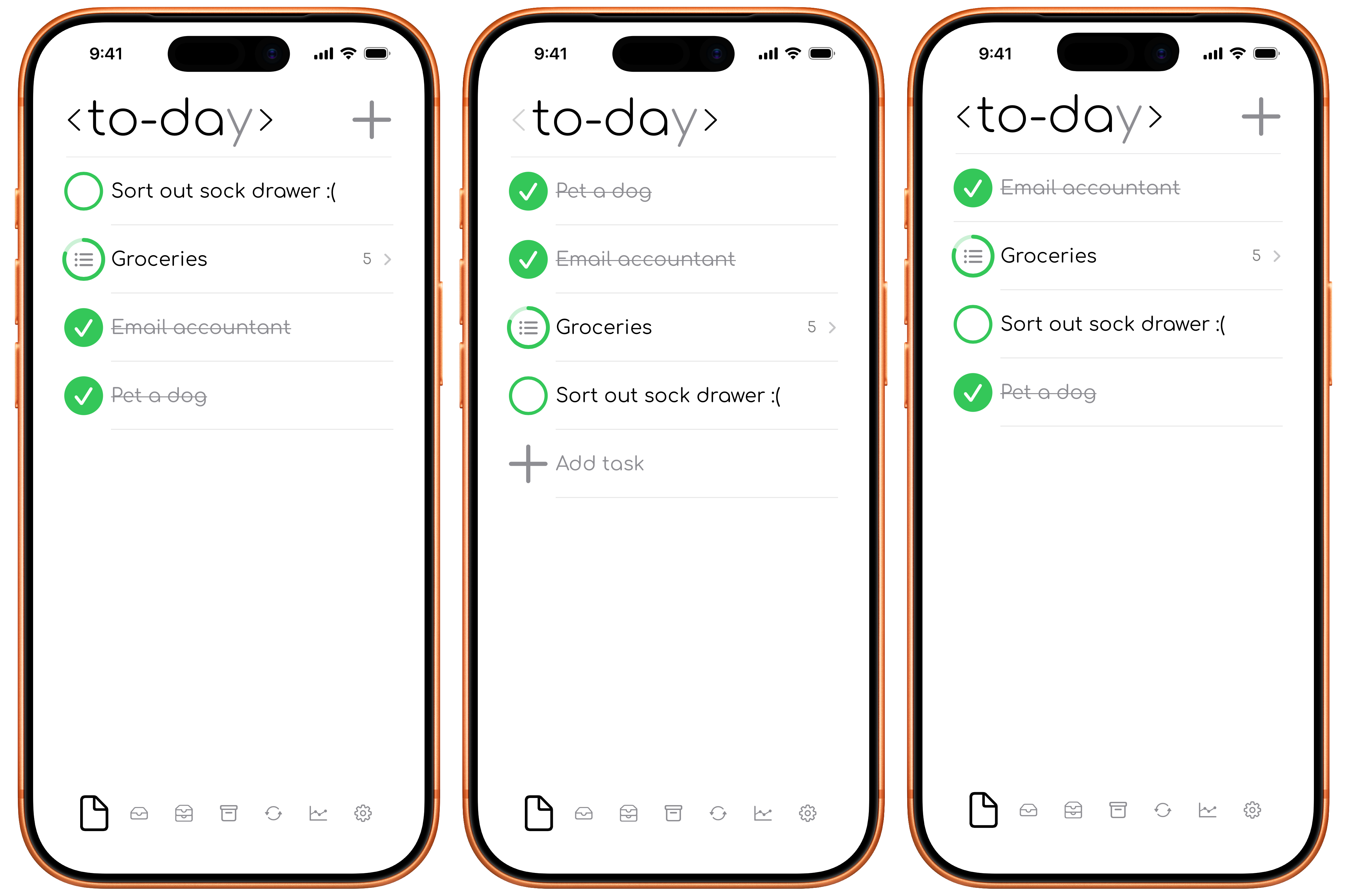
Coloured status circle
The coloured circle shows when if a task was or will be completed in the intended window.
- Green: active in the current view, or completed in its intended timeframe.
- Blue: planned for tomorrow, or completed ahead of time.
- Red: overdue, or completed after its intended timeframe.
- Grey: from a past locked view.
- Soft grey: archived.
You can turn coloured status circles off. When off, active tasks appear grey and completed tasks appear green.
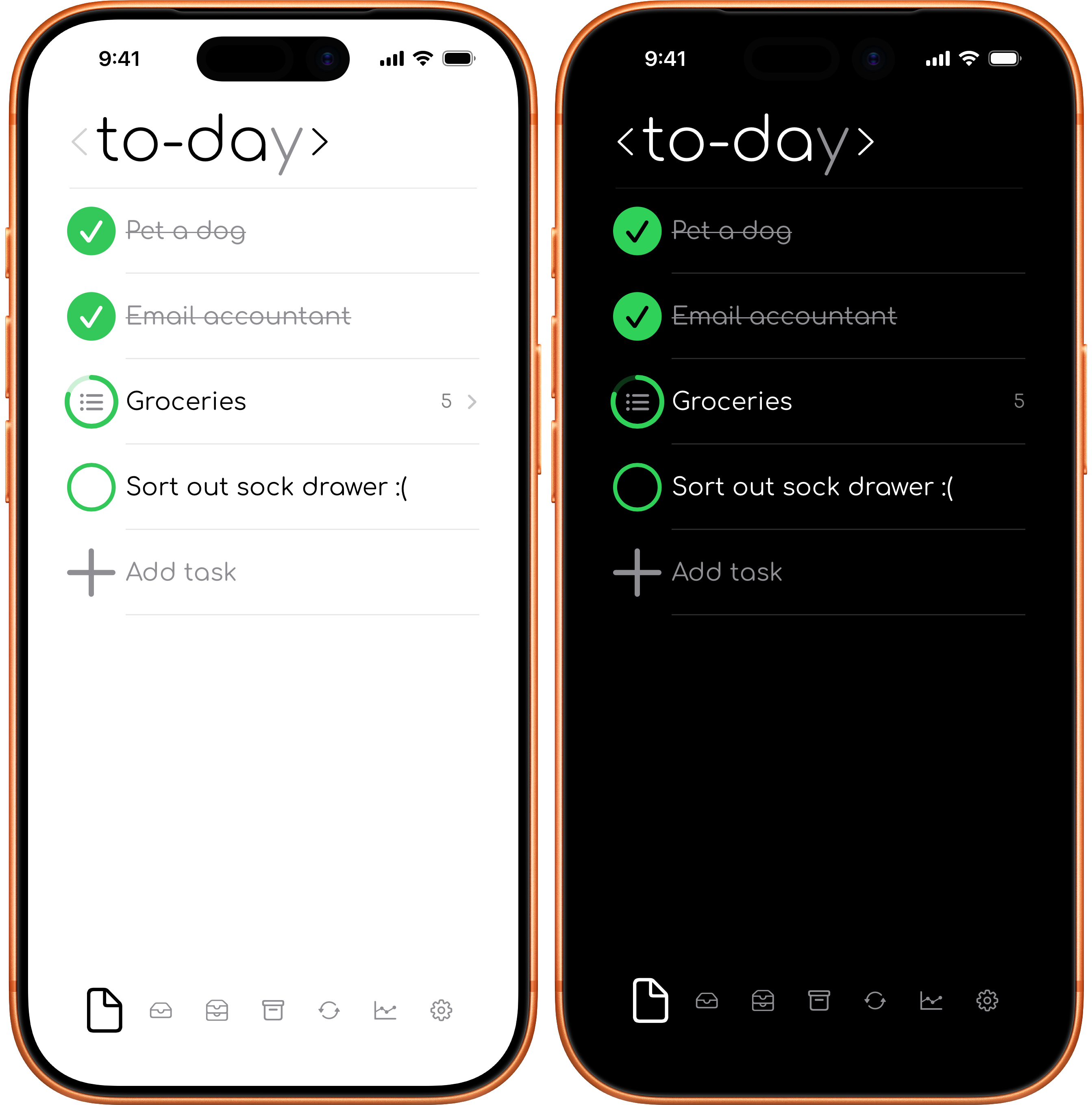
Appearance
Choose between alway bright mode, always dark mode or to follow your system preferences.
Day, week, and month boundaries
- Day starts at changes when to-day moves from one logical day to the next.
- Week starts on selects the first day of your week.
- Month starts on selects the day that begins your planning month.
These choices affect which tasks appear in the current and previous time-period views.
Task visibility
Choose whether to show completed tasks, creation dates, completion dates, and archived tasks.
Hide statistics
Statistics should feel helpful, not stressful.
If they are not useful to you, you can hide, you will not lose any data, and you can turn them back on whenever you feel like it.
Tips and Info
The Tips sheet provides short demonstrations of useful app actions. Info contains details about the app.
Trash
The Trash view contains archived tasks and recently deleted tasks. You can restore items, move archived tasks into Trash, or permanently remove data using the available confirmed actions.
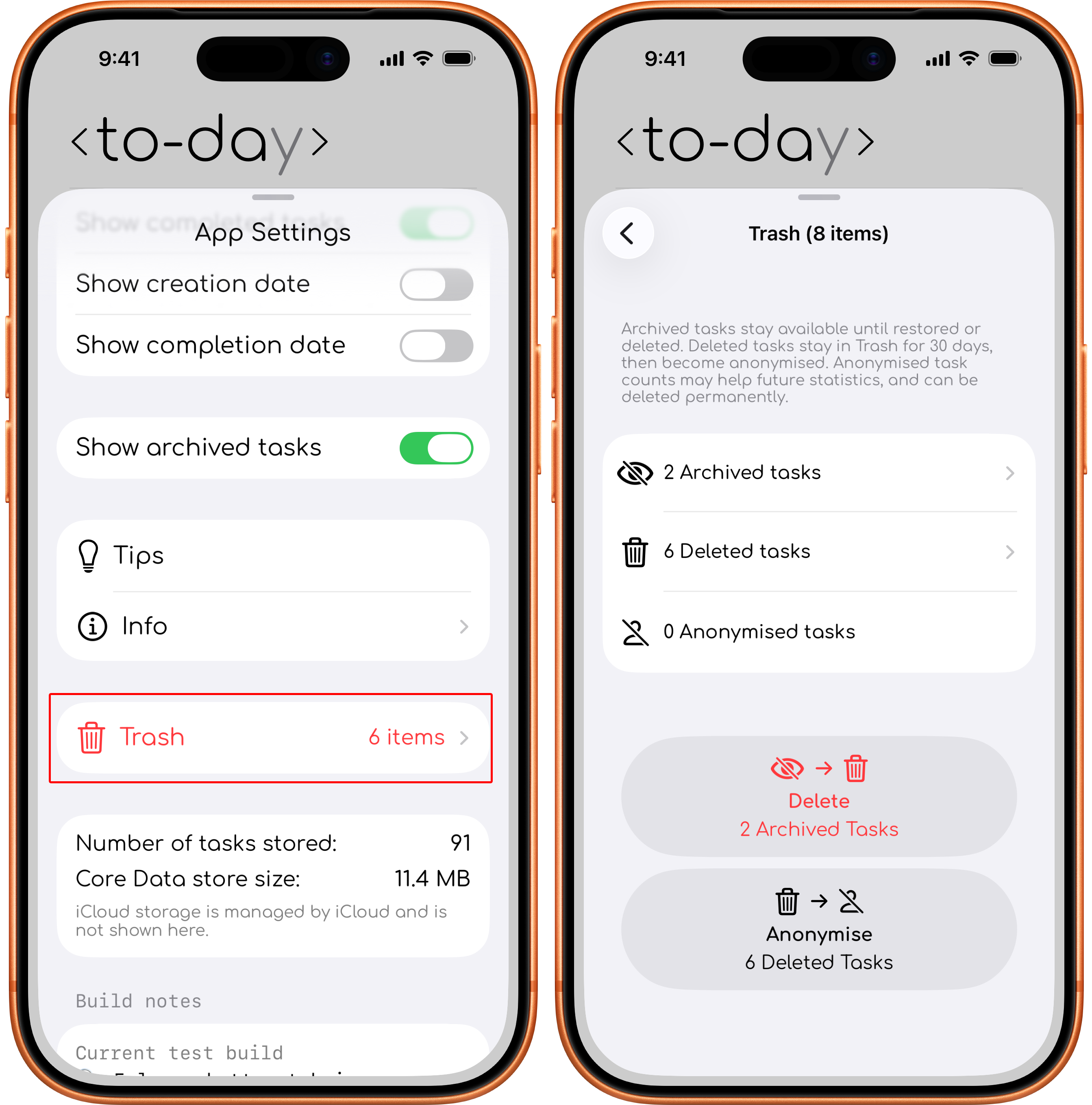
Storage summary
The Settings sheet shows the number of tasks stored and the size of the local app data. iCloud storage is managed by iCloud and is not shown there.